iPhone & Android

Your business, in your pocket Sales, profit and your full P&L — without calling the manager

Open the app. See exactly how today went — at one branch or all of them.

Most owners find out how the day went the next morning, from someone else's summary. The Granet Pro owner app gives you the real numbers as they happen: what you sold, what it cost you, what you actually kept, and who still owes you money.

Included with every Granet Pro plan · sign in with your owner account
Granet Pro owner app home screen showing today's net sales and net profit

What you actually see

Four screens. Every number that matters.

These are real screens from the app — not mock-ups.

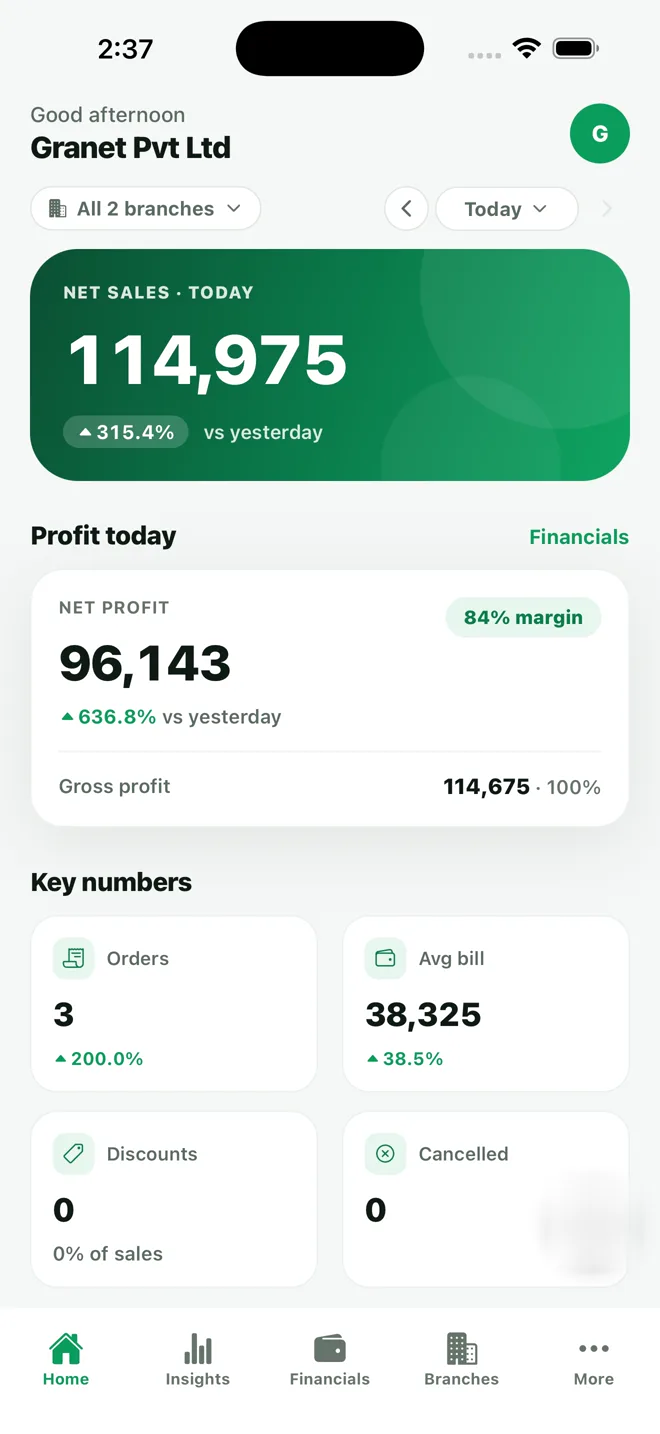
Owner app home screen with net sales, net profit and key numbers

Today. Net sales against yesterday, net profit with margin, orders, average bill, discounts and cancellations.

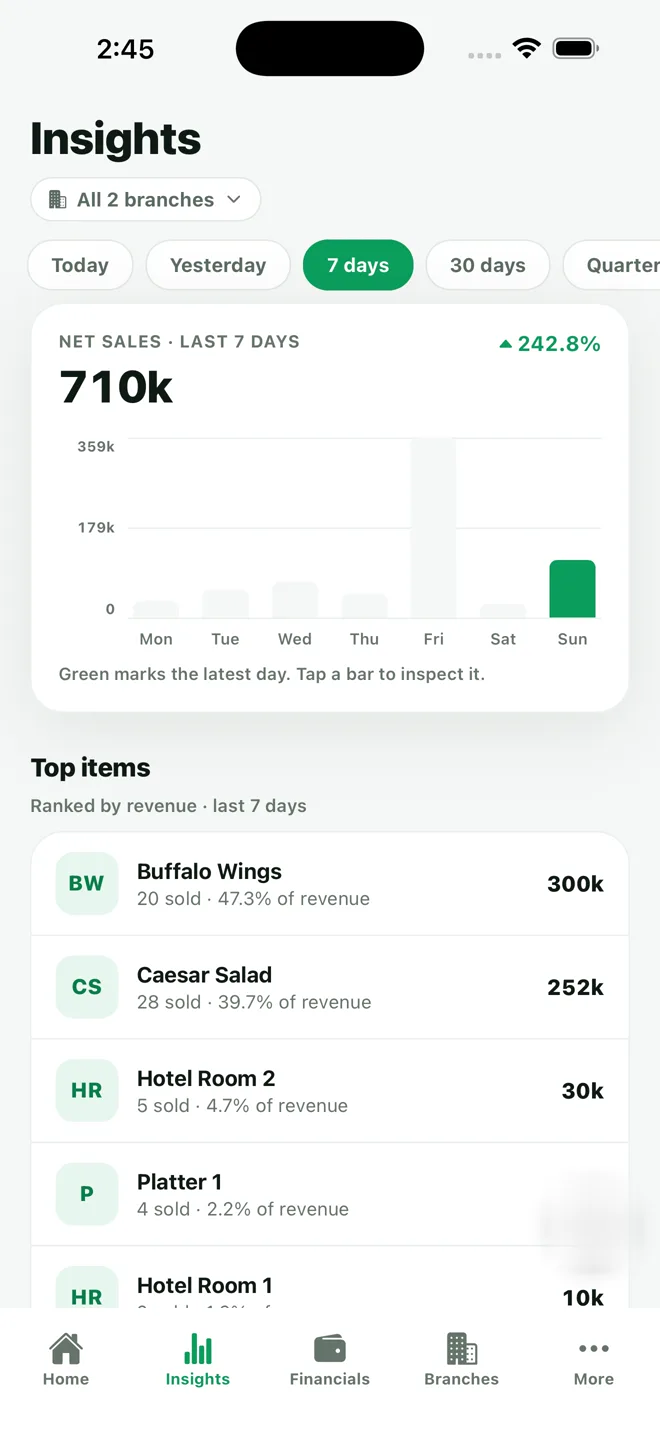
Owner app insights screen with sales chart and top selling items

Insights. Sales across the week, your peak day, and which items are actually earning the revenue.

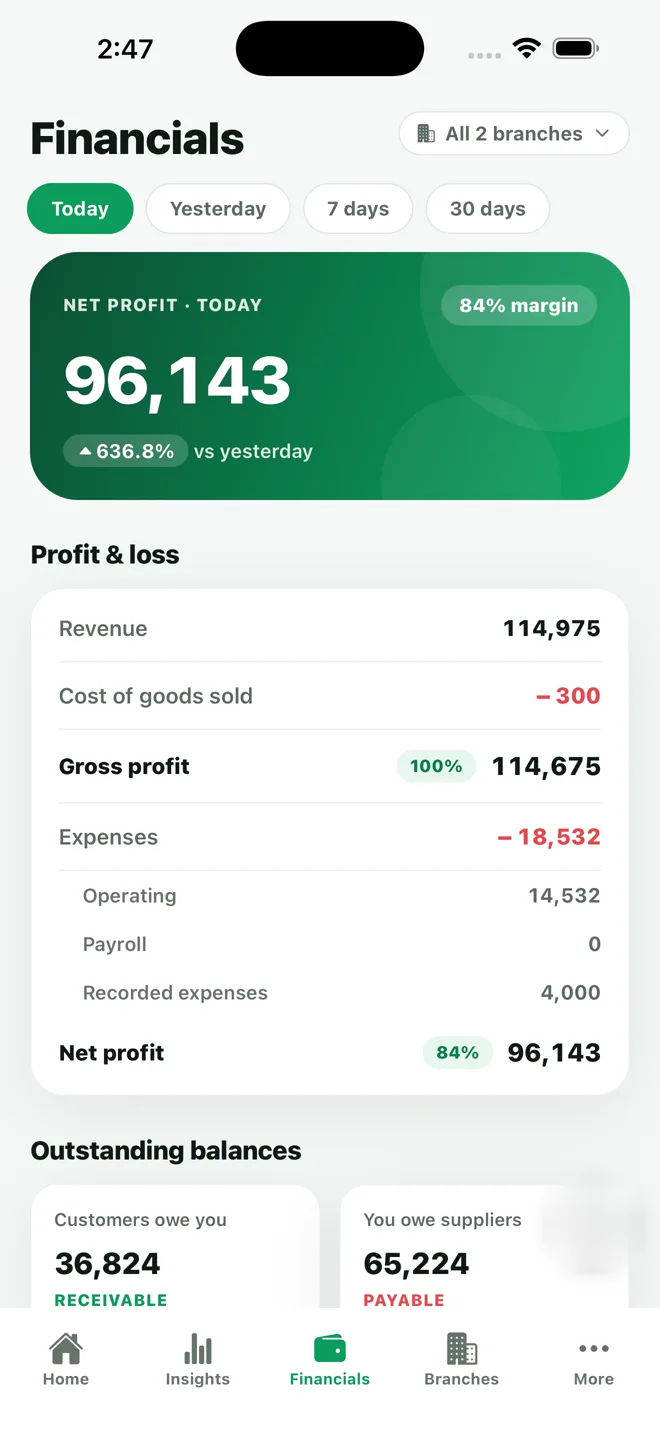
Owner app financials screen showing full profit and loss with outstanding balances

Financials. A real P&L — revenue, cost of goods, expenses, net profit — plus who owes you and who you owe.

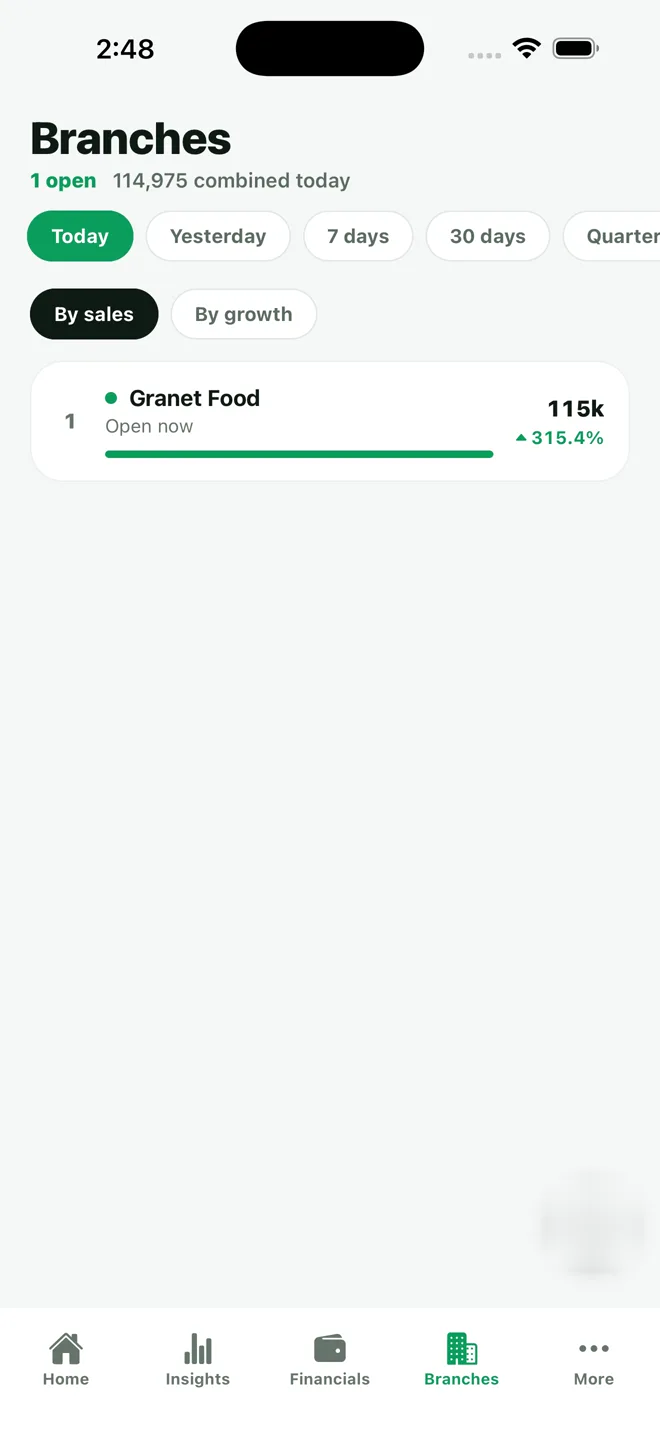
Owner app branches screen with live branch leaderboard

Branches. Which locations are open right now, ranked by sales or by growth.

The screen owners open first

Most apps show you sales. This one shows you what you kept.

Revenue is the easy number. The one that decides whether the month worked is what is left after food cost, payroll and expenses — and that usually lives in a spreadsheet somebody updates late.

  • Revenue, cost of goods sold and gross profit, calculated from your actual recipes
  • Expenses split into operating, payroll and recorded spend
  • Net profit with margin — for today, this week, or a month back
  • Outstanding balances: what customers still owe you, what you still owe suppliers
See the full analytics suite →
Granet Pro owner app profit and loss screen with outstanding balances

Details that matter at 11pm

Built the way owners actually check on a business

Your day, not the calendar's

Close at 3am? Those sales stay in the same trading day instead of splitting across two dates and ruining the comparison.

Face ID or fingerprint

Unlock without typing a password every time you want a ten-second look at the numbers.

Shift-level cash reconciliation

Opening float, cash sales, petty cash out, expected versus counted — and the over/short figure, per shift.

Drill into any number

Tap an order count to see the orders behind it — filter by status, type, payment method or amount, then open a single bill.

Every payment method separated

Cash, card and wallets including JazzCash, Easypaisa and Raast — so the mix is never a mystery at closing.

Read-only, on purpose

Nobody can edit an order, change a price or adjust stock from a phone. The app shows the truth; it never rewrites it.

FAQ

Owner app questions

Does it cost extra?

No — it is included with your Granet Pro subscription. Sign in with your owner account and your branches are already there.

Can I see all my branches?

Yes. It opens on every branch combined, and you can switch to any single one. The leaderboard ranks branches by sales or growth.

iPhone or Android?

Both, from the same account.

Can my manager use it too?

Access follows the permissions you already set in Granet Pro, and changes take effect immediately — no need for anyone to sign out and back in.

How current are the numbers?

Live. The dashboard refreshes on its own while it is open, so what you see is what the counter has rung up.

Stop waiting for tomorrow's summary

Already with Granet Pro? Install the app and sign in. Not yet? Book a free demo and we will show you your own numbers running in it.

Related: Analytics · Kitchen display · Pricing